---
title: Get help from our new Neon AI assistant, delete Neon Auth users, UI improvements, and more
---
## Meet your new Neon AI Assistant
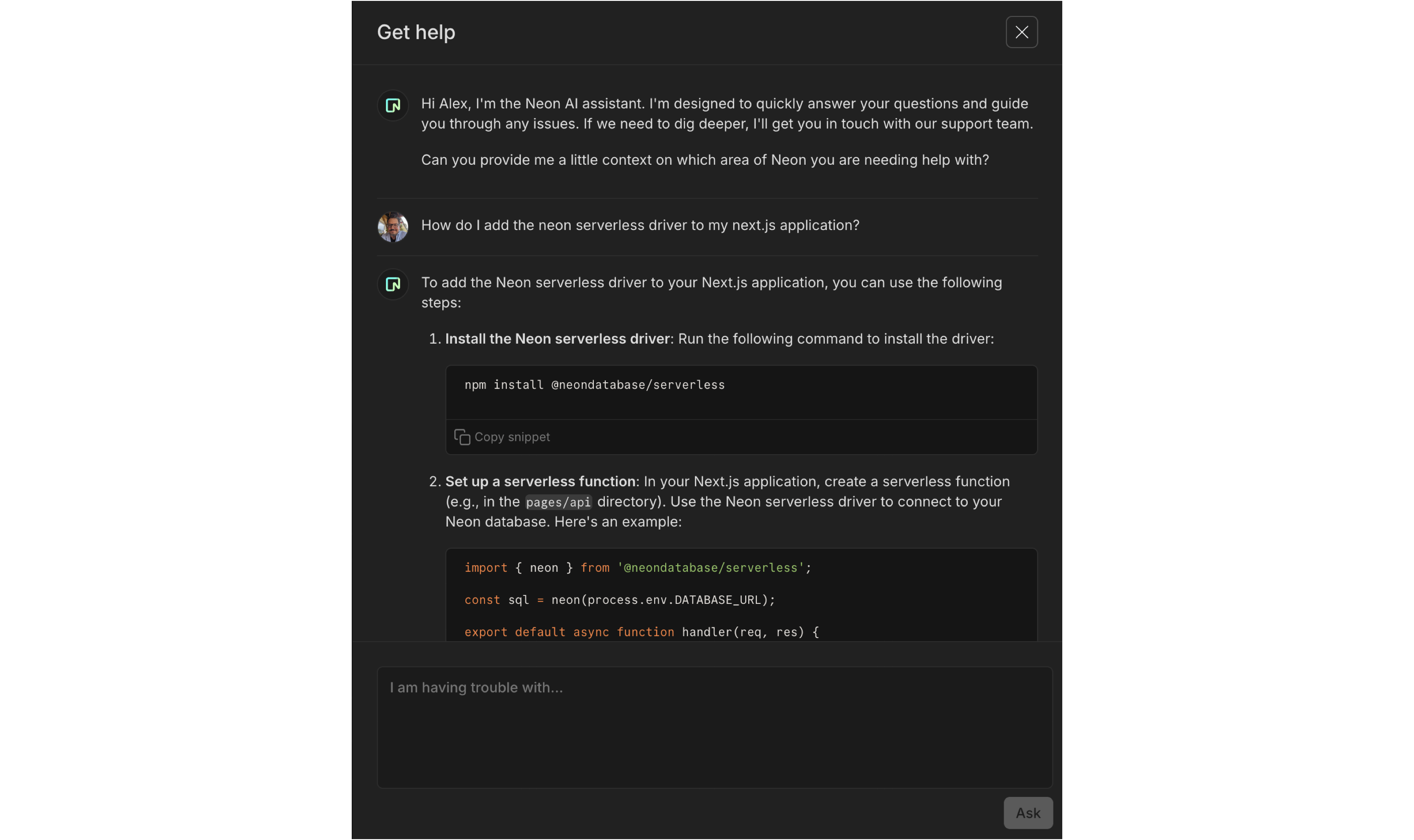
We’ve launched a new Neon AI Assistant, available for all **Launch** and **Scale** plan users. Find it under **?** > **Get help** in the Console. Our AI assistant can help:
- Answer questions about Neon features, workflows, and troubleshooting.
- Find relevant documentation and best practices.
- Create support tickets related to your issue, connecting you directly with our support team when you need deeper help.
📌 You can expect to see the AI Assistant on the **Free** plan soon.
## Delete Neon Auth users from the UI
You can now delete Neon Auth users directly from the Auth UI (or programmatically via the [Delete Auth User](https://api-docs.neon.tech/reference/deleteneonauthuser)) API endpoint. This action soft-deletes the user in `neon_auth.users_sync` by setting the `deleted_at` column, rather than removing the record entirely.
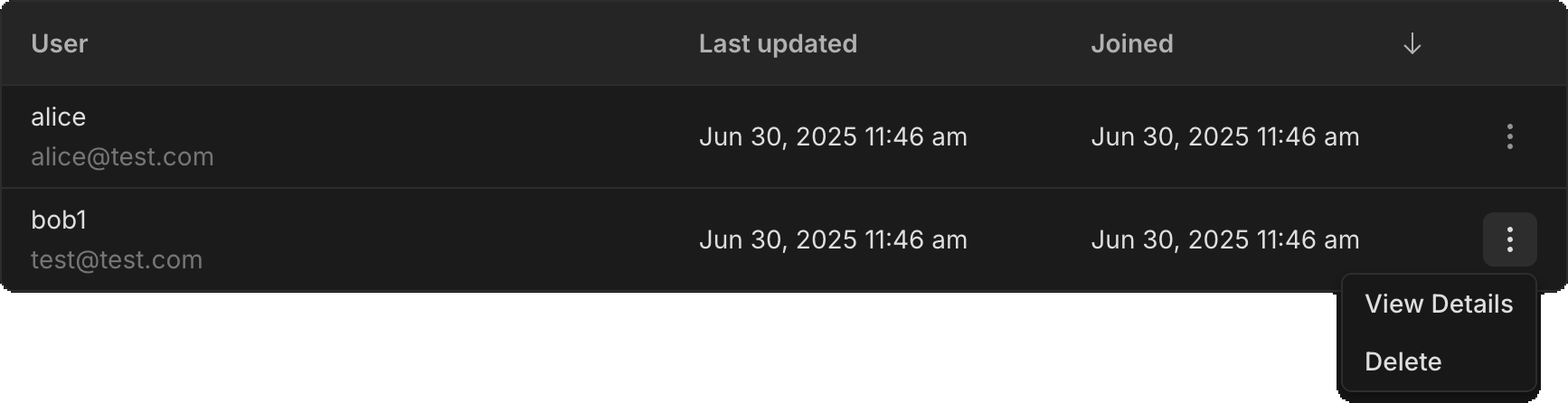
Previously, deleting a user required running a SQL statement against the `neon_auth.users_sync` table. You may still want to use SQL deletion if you need to fully remove a user and all associated data.
## Collapsible console sidebar
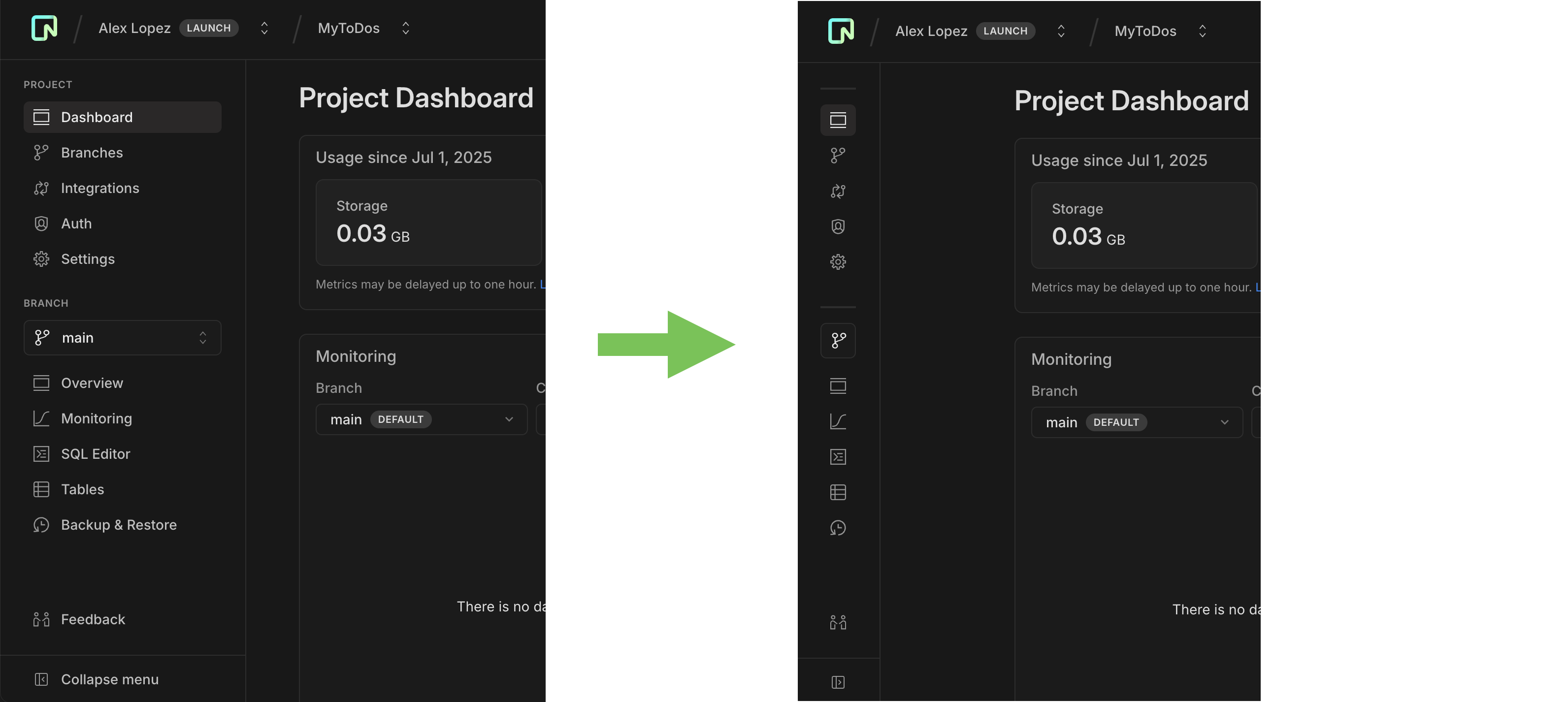
You asked, we delivered. The Neon Console sidebar is now collapsible, giving you more space to focus on your work. Good for smaller screens or when you just need a little extra room.
## Improved branch creation page
We’ve added some polish to our branch creation page to make it easier to understand your options.
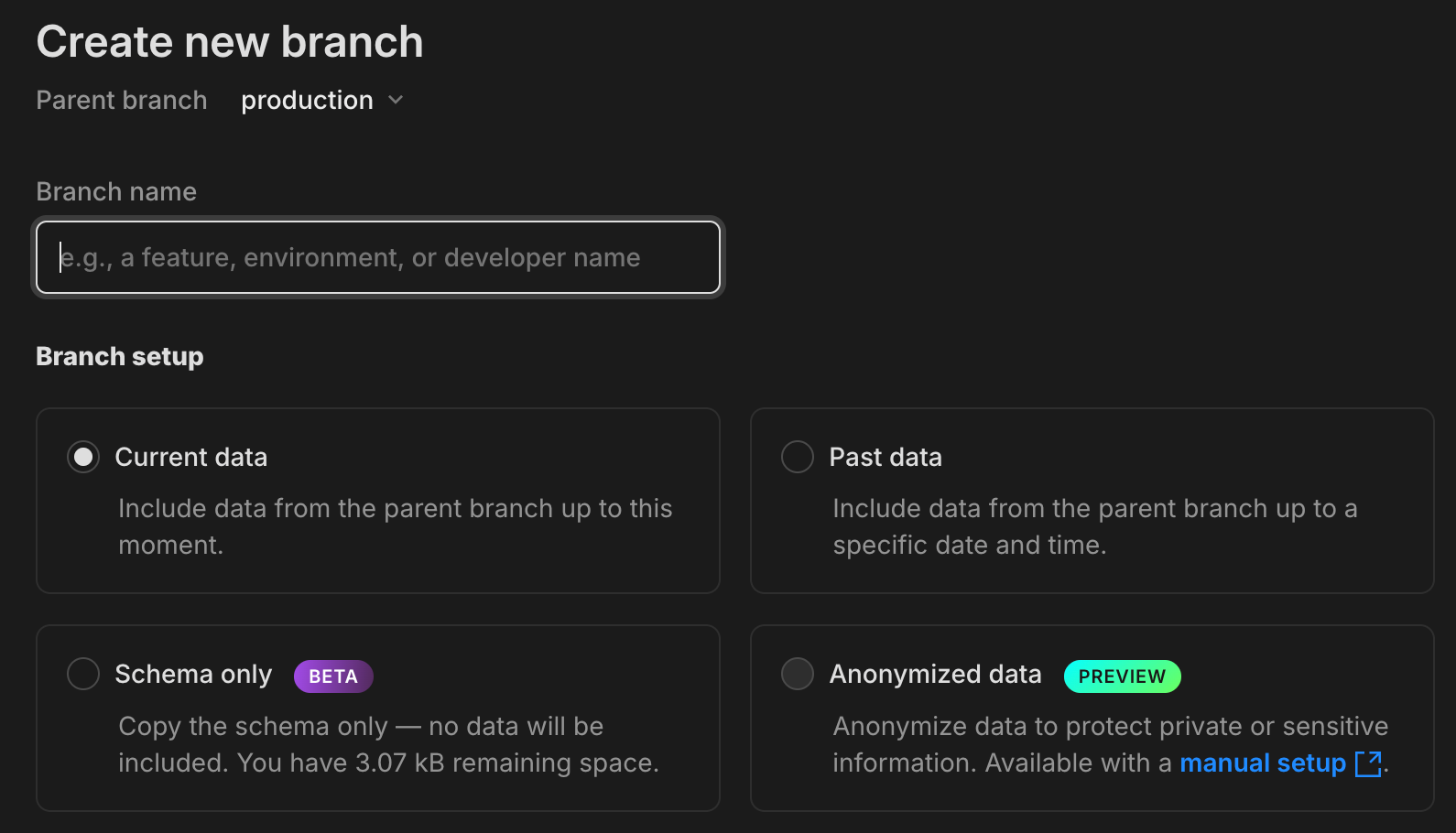
- You can now choose between **Current data**, **Past data**, **Schema-only**, and **Anonymized data** branch options, all from a streamlined, modal-style layout.
- The page now displays the **size limit** for schema-only branches based on your plan, so you’ll know up front how much data you can seed or add.
- There’s now a direct link to our anonymization [docs](/docs/workflows/data-anonymization) in the **Anonymized data** option, a reminder that you can anonymize data manually while we work on full in-app support.

**Drizzle Studio**
- Drizzle Studio, which powers the **Tables** page in the Neon Console, has been updated to version 1.1.4. For details about the latest updates, see the [Neon Drizzle Studio Integration Changelog](https://github.com/neondatabase/neon-drizzle-studio-changelog/blob/main/CHANGELOG.md).
**Neon Console**
- When adding an OpenTelemetry (OTel) integration, credential validation is now non-blocking. If we detect an issue, you'll see a warning, but you can still continue if you choose to. Useful for connecting to a provider we can't fully validate yet.